Breaking Down the Brief & Creating Metahuman Characters
- Mikey Owen
- Apr 21, 2024
- 7 min read

I now move onto my only assignment for my final unit of the year: Performance & Technical Animation. I'd like to start this, the first post regarding this assignment, in the same way as I have with the others: by examining the assignment brief in detail and establishing what is expected of my in terms of workflow and submissions.
Examining the Brief
I've included the brief below for your reference:
I've read through the brief in full, and have narrowed down my objectives into a bullet-point list which I'll detail below:
Select an audio track from the list supplied by my tutors (obtained from the website 11 second club https://www.11secondclub.com/).
Customize 2 Metahuman characters from Unreal's Metahuman library that suit the voices in the chosen audio track.
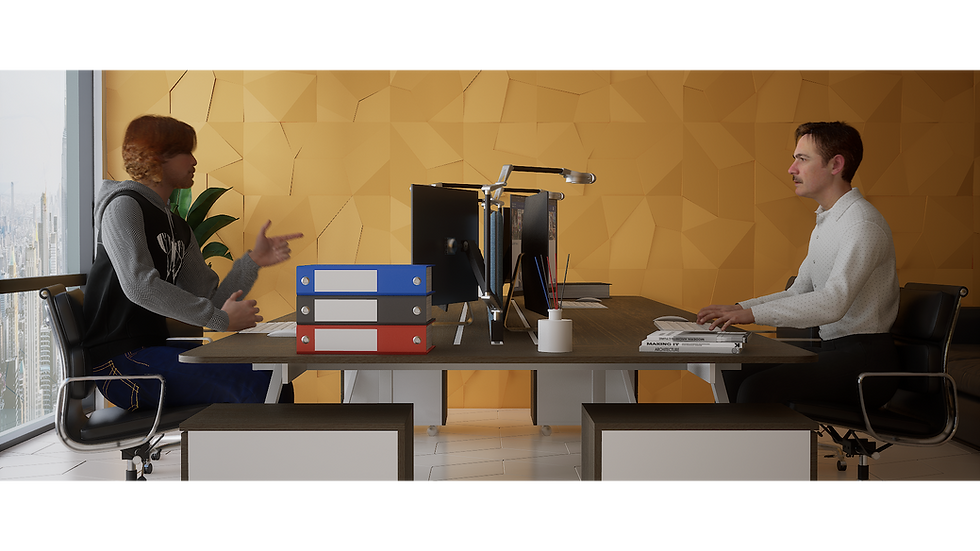
Bring those Metahumans into an Unreal Engine 5 scene.
Create a simple environment to house my final animation.
Test the rigs of the Metahumans to ensure they work as intended before any motion capture work takes place.
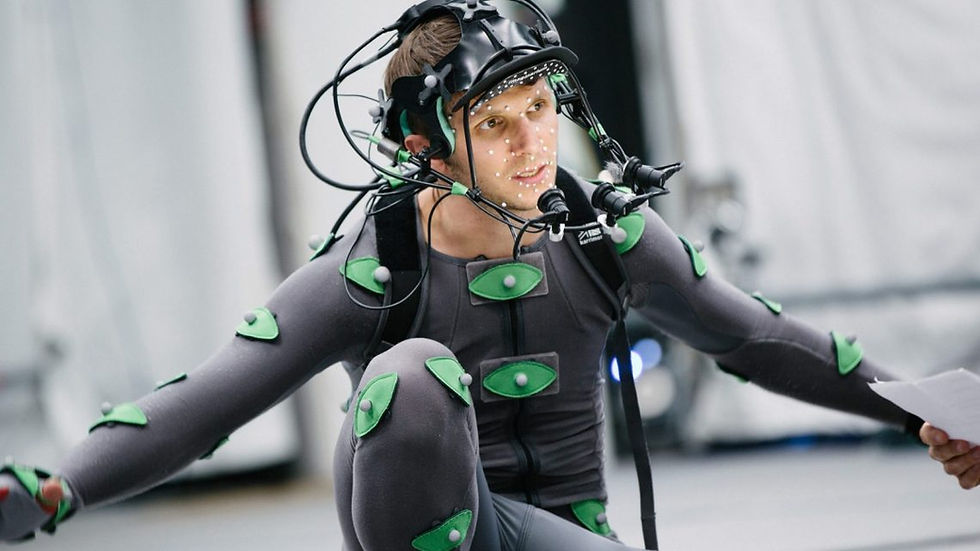
Collect motion capture data to map onto the Metahuman characters, both for their bodies and faces.
'Clean up' the animation data within Unreal to create a final, polished animation sequence that matches the selected audio track.
As well as the task list above; the brief also makes it clear that there are several key talking points that I need to include within these posts. I've included these below as a reference, along with a brief description of how I intend to display them within my work:
Relevant motion capture theory - I interpret this point as having an up to date understanding of the processes behind the capture and conversion of real-life human movement into animation data.
Equipment used - Quite simply, this will be ensuring I detail the equipment I use to capture the movements of my actors' bodies and faces. Both software and hardware.
Motion capture strategy - Establishing a strategy before I begin any motion capture. I'll need to essentially 'direct' my actors and have a plan on what movements and expressions they need to make during the capture process.
An understanding of subject limitations - This is quite a broad requirement, as 'subject' could imply the equipment, the software used or even the actors themselves. Either way, I'll need to document any foreseen issues with all of these points and establish how to overcome these challenges.
Data processing - This will be the usage of my motion capture data. Transferring it between different software in order to produce my final animation.
Software options, comparisons & workflow - I'll be somewhat limited on this point regarding the software options and comparisons, as only 1 option will be available to me for body and facial movement. The workflow however is something I will strive to detail as much as possible.
Necessary motion capture clean-up - This will simply be the clean-up of my motion capture animation, as I'm sure not all the movements and expressions will be perfect as soon as they're brought into the Unreal sequencer.
Evaluation of results - I'll need to ensure I evaluate the final animation and workflow I used at the end of these posts. I'll detail any changes I could have made, how I feel about the final animation and capture process as a whole etc.
Now that I have a firm grasp on what is required of me for this assignment; I can move onto the first stage of production: the selection of my audio track and creation of my Metahuman characters.
Selecting Audio & Creating Metahuman Characters
Our tutor provided our group with a multitude of audio options, and had us select one each from the list. I listened through all the available options, and immediately settled on one because I instantly recognized it's origin: The Other Guys. This a comedy movie staring Will Ferrell and Mark Wahlberg, and is one of my favourites!
I therefore couldn't pass up the opportunity to create an animation around this clip. I'm unfortunately unable to include the audio clip below due the limitations of this website, but I have located a YouTube video which shows the scene in full (my audio is the initial 11 seconds of the scene that begins just before Mark Wahlberg's character yells at Will Ferrell's character to "Stop humming that song!"):
With my audio clip happily selected, I could now move onto the creation of my Metahuman characters:
Thankfully when it comes to creating Metahumans, this is something I do have some previous experience with. I've created some Metahuman characters for my final project obviously, but also decided to experiment with the feature when it was first revealed (along with Unreal Engine 5) due to how appealing it appeared to an aspiring CG animator!
I still decided it would best to cover the basics and pretend I was new to this feature, as perhaps there was a more efficient workflow I could adapt. I therefore took to Google to locate some tutorials on the creation of a Metahuman character, as well as it's subsequent export and import into Unreal Engine. I began with the official Epic Games documentation on the creation of a Metahuman, which can be located here: https://dev.epicgames.com/documentation/en-us/metahuman/metahuman-creator/creating-a-metahuman
As you can see from the documentation, it's incredibly straightforward! You access the creator website (here) and log in with your Epic Games account (a pre-requisite for the usage of Unreal Engine, so I thankfully already have one). From there you select the Unreal Engine version you want your character to be compatible with (although it's fairly straightforward to also swap them between engine versions). Here I chose Unreal Engine 5.1, for reasons which will detailed in a later post.
You then select a preset character, as all Metahumans are simply manipulations of the same preset characters. This may sound limiting at first, but the amount of customization options available to you will quickly put these fears to rest. Once a preset is chosen, it's then as easy as altering the character's traits to suit your needs! All the expected options are available, such as body type, skin colour, eye colour, hair colour and style etc. But where it really gets in-depth is the customization of things like cheekbone depth, lip size, ear placement, skin blemishes, ear rotation etc. It's impossible (well not impossible, but it would be incredibly extensive) to list all the different options available to users!
With this toolset understood and readily available to me; I was able to create the below metahuman characters to use for my animation:


I've chosen to name them 'Will' & 'Mark', after the actors whose performances they will be portraying! I'm really happy with the results, and think they suit the voices of the audio clip perfectly. I'll admit it was difficult to put my knowledge of my audio's original source, and subsequently the appearance of the actors, to the back of my mind during this process, but I was determined to not simply create a Metahuman Will Ferrell and Mark Wahlberg.
Either way, the characters were good to go and ready to bring into a fresh Unreal Engine scene!
Bringing my characters into Unreal was another simple step that only required a few simple clicks! As my Metahuman characters were saved to my Epic Games account, it now meant that I could access them directly using the Quixel Bridge plugin, which happens to have it's own dedicated Metahuman menu.
All you have to do is open Bridge whilst in a fresh Unreal Engine scene, select Metahumans, choose your character, select the quality setting and hit download! Once the character has downloaded, you simply click the 'add' button and voila, they're in your scene ready to be placed and animated. The tutorial below explains this in more detail if a reference is required:
I simply created a new Unreal Engine 5.1 scene, followed the above steps, and there my characters were! I dropped them into the blank scene and began to double check their features and test the respective body and facial rigs. I did notice some issues, such as the 'Mark' characters hair disappearing when the camera is further away, but this was fixed by forcing the character's LODs (level of detail) to always be '0' (the highest quality). To be fair to the Metahuman site, it also mentions that this will happen so I was prepared to deal with this issue.
In order to enable control rigs for my Metahumans, I first had to add their blueprints to a sequence. As soon as they were added the control rigs become visible in the viewport and the engine switches to animation mode. I'm truly amazed at the potential of these models, especially the facial rig! It also always amazes me that Epic Games offers this for free!
I did notice an initial issue with the control rig however, and that is that; while the legs work on an IK (inverse kinematic) system, the arms were by default rigged to an FK (forward kinematic) system. Some may prefer it this way, but I'd rather both were set up as IKs. IK essentially means that if I were to move the characters' hands, the shoulders and elbows would move accordingly. When you use an FK system, to achieve a realistic result, you would have to manipulate down the chain of the limb (starting with a rotation of the shoulder, then elbow, then adjusting the hand etc.). This thankfully was a simple fix, as all I needed to do was expand the control rig section in the sequence, look under global control, and check the box that switches the arms to an IK system! There was even an option here to alter the legs to an FK and even change the neck to an IK system, but I digress. I needed to complete my rig testing before I could move onto the next stage of this assignment.
I could now begin testing my rigs. For the turnaround animations; I added a simple white floor to the center of my scene to act as a plinth of sorts. I then added a camera to my sequencer with default settings, manipulated it to fit the whole character into view, adjusted the Fstop values to ensure it was in focus, cropped the field of view to 4:3 to keep the focus on the character, linear keyframe animated by character to do a full 360 degree spin over 10 seconds and rendered the frames. For the body rig and facial rig tests, I opted to simply use OBS studio to capture my desktop as I messed around with the options available to me. I've included these videos below for your reference:
Mark Character:
Full 3D Turnaround -
Body Rig Test -
Facial Rig Test -
Will Character:
Full 3D Turnaround -
Body Rig Test -
Facial Rig Test -
As you can see, the rigs (both body and facial) as well as the models themselves, are incredible. The options available for the control rigs, as well as their easy to use layout, makes manipulation of the characters a breeze! There's so many options available for facial expressions, and the quality of the skeletal rig is easily on par with any hand made one I've used in the past.
This experimentation has left me so excited for this unit. I'm really excited to move onto the motion capture phase of this assignment and begin applying it to my characters, so we will do so in the next post where I'll detail the entire workflow process.
Comments